
- Single Pass 2-Sided ADF: Save time with single pass duplex scanning and copying, by scanning both sides of 2-Sided documents simultaneously
- Quick First Print: Be ready to print in as little as 6 seconds from power on with Quick First Print
- High Page Yield: By using XL ink tanks MAXIFY printers feature a Low Cost per Print with a High Page Yield that can save you money by delivering a high volume of prints from one set of ink tanks
- Fast Print Speeds: Spend less time waiting for your prints with a Canon MAXIFY printer, thanks to its fast printout times of 24 ipm (BW)/ 15.5 ipm (Color), and rapid multipage copying
- AirPrint: With AirPrint, simply print right from you iPhone, iPad and Mac. No drivers needed
- 250 Sheet Paper Capacity: All MAXIFY Printers support multiple paper types including Business Card paper, Label paper and even ID Cards
- DRHD: Print laser-sharp text that is highlighter and smudge resistant with the Dual-Resistant High Density (DRHD) Ink System
- Duty Cycle: MAXIFY printers are built to last for all your small business needs, with a 30,000 page peak Monthly Duty Cycle
- MIB Support: Efficiently manage all your MAXIFY printers with built in standard Management Information Base (MIB) support, also easily monitor ink and paper levels and printer notifications remotely
- Canon PRINT app: The Canon PRINT app has great features so you can scan, copy and print right from your favorite mobile devices
- 3.5" Touch LCD: Intuitive touch-screen controls make it easy to navigate menus, printer settings and access cloud services
- Auto power on/off: Auto Power off saves you money by automatically powering down the printer after a set period of inactivity, and conveniently powers back on when any print job is detected
- Send to Network Folder: When keeping a paper copy is not necessary, you can choose to scan your digital files to network folders
- US Based Support: To help serve your business better, all MAXIFY printers feature 100% US-based Service & Support, with a dedicated MAXIFY phone number, email and extended service hours
<
>
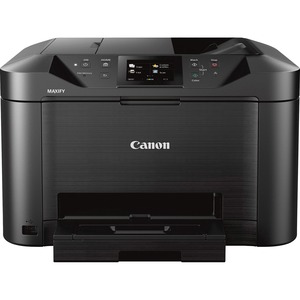
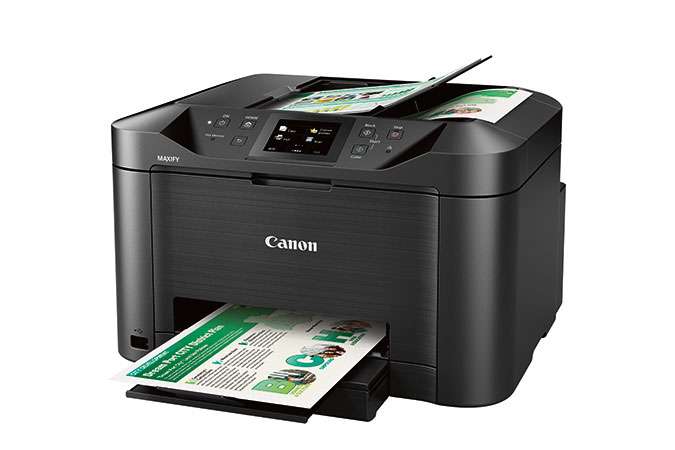
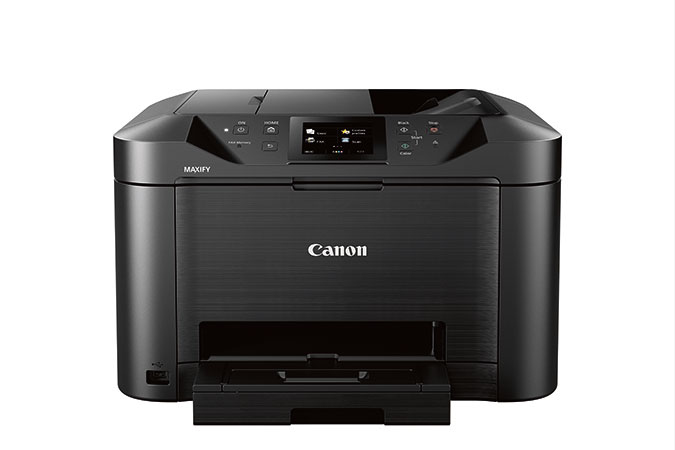
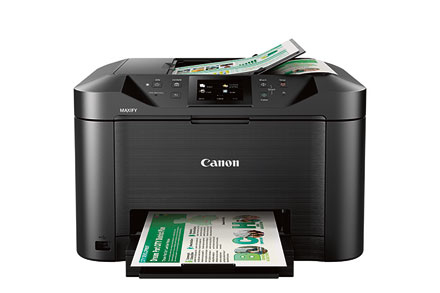
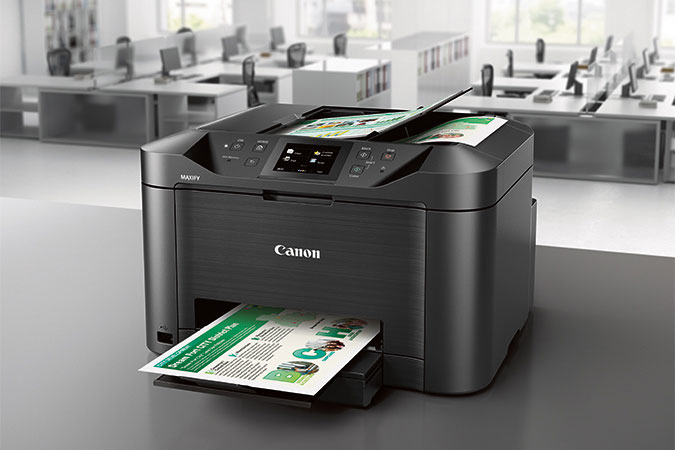
Canon MAXIFY MB5120 Wireless Inkjet Multifunction Printer - Color

Product Code: CNMMB5120
Product Unit: Each
Product Details
General Information
| Copier Type | Flatbed |
| Copy Color | Color |
| Form Factor | Desktop |
| Display Screen Type | LCD |
| Scan Color | Color |
| Scanner Type | Flatbed |
| Standard Input Media Capacity | 250 sheets |
| USB | Yes |
| Wireless Print Technology | Mopria ~ Google Cloud Print ~ Apple AirPrint |
| Print Color Capability | Color |
| Power Source | AC Supply |
| Maximum Print Resolution (dpi) | 600 x 1200 |
| Multifunction Devices | Copier/Fax/Printer/Scanner |
| Optical Resolution (dpi) | 1200 |
| Print technology | Inkjet |
| Printing | Colour printing |
| Duplex printing | Yes |
| Maximum resolution | 600 x 1200 DPI |
| Duplex printing mode | Auto |
| Print speed (ISO/IEC 24734) mono | 24 ipm |
| Print speed (ISO/IEC 24734) colour | 15.5 ipm |
| Time to first page (black, normal) | 6 s |
| Time to first page (colour, normal) | 7 s |
| Economical printing | Yes |
| Copying | Colour copying |
| Duplex copying | Yes |
| Time to first copy (colour, normal) | 11 s |
| Copier resize | 25 - 400% |
| N-in-1 copy function | Yes |
| ID-card copy function | Yes |
| Auto fit function | Yes |
| Edge erase function | Yes |
| Scanning | Colour scanning |
| Duplex scanning | Yes |
| Optical scanning resolution | 1200 x 1200 DPI |
| Scanner type | Flatbed & ADF scanner |
| Scan technology | CIS |
| Scan to | Cloud, E-mail, FTP, HTTP, Memory card, USB |
| Input colour depth | 48 bit |
| Output colour depth | 24 bit |
| Faxing | Colour faxing |
| Duplex faxing | Yes |
| Fax transmission speed | 3 sec/page |
| Modem speed | 33.6 Kbit/s |
| Fax memory | 250 pages |
| Auto-redialing | Yes |
| Speed dialling | Yes |
| Fax speed dialing (max numbers) | 100 |
| Fax forwarding to | FTP |
| Maximum duty cycle | 30000 pages per month |
| Printing colours | Black, Cyan, Magenta, Yellow |
| Recommended duty cycle | 250 - 2000 pages per month |
| All-In-One-multitasking | Yes |
| Total output capacity | 250 sheets |
| Paper input type | Cassette |
| Auto document feeder (ADF) | Yes |
| Auto document feeder (ADF) input capacity | 250 sheets |
Product Information
| Brand | Canon |
| Type | Multifunctional Devices |
Description
Alternative Products


Additional Documentation
Reviews
No Reviews